
QSFP vs QSFP28 vs QSFP56 vs QSFP112 vs OSFP Explained
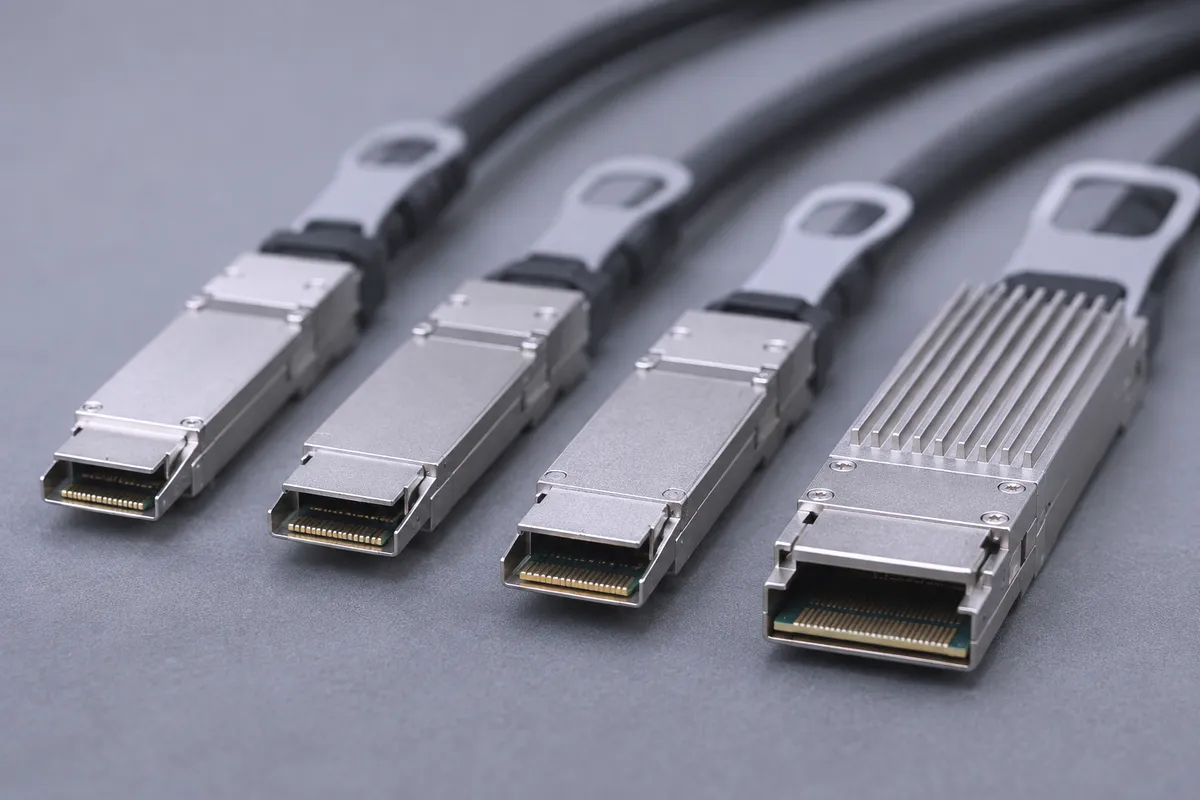
QSFP, QSFP28, QSFP56 and QSFP112 share one 4-lane shape and differ in lane speed: about 14G, 25G, 50G and 100G per lane, which gives 56G, 100G, 200G and 400G links. OSFP is a different cage. Twin-port OSFP carries 8 lanes of 100G-PAM4 (2x400G, sold as 800G) and does not accept QSFP plugs. This guide is for engineers and buyers who need to match InfiniBand and Ethernet cables to switch and adapter ports.
Lanes times lane rate: the only formula you need
Every form factor here is a set of electrical lanes. Link speed is lanes multiplied by the rate per lane. The connector name tells you the lane count and the speed class.
- SFP family: one lane. The NVIDIA QSA28 adapter wires the SFP28 channel to lane 1 of a QSFP28 port and leaves the other 3 lanes unconnected.
- QSFP family (QSFP+, QSFP28, QSFP56, QSFP112): four lanes.
- QSFP-DD: eight lanes. The cage also accepts QSFP plugs.
- OSFP: four lanes (single-port, 400G) or eight lanes (twin-port, 2x400G).
Modulation is the second variable. QSFP28 runs 4x25G-NRZ. QSFP56 moved to 4x50G-PAM4. QSFP112 and OSFP run 100G-PAM4 per lane. The QSFP cage shape stayed the same across these generations.
Comparison table
| Form factor | Lanes | Per-lane rate | Max speed | Typical IB generation | Example TES part |
|---|---|---|---|---|---|
| SFP28 | 1 | 25G | 25GbE | None (Ethernet) | MCP2M00-A005 |
| QSFP+ (QSFP) | 4 | up to 14.0625 Gb/s | 56Gb/s | FDR (56Gb/s); QDR/FDR10 at 40Gb/s | MC2207130-001 |
| QSFP28 | 4 | 25G NRZ | 100Gb/s | EDR | MCP1600-E00B |
| QSFP56 | 4 | 50G PAM4 | 200Gb/s | HDR (HDR100 on split ends) | MCP1650-H001E30 |
| QSFP112 | 4 | 100G PAM4 | 400Gb/s | NDR (adapter side) | MMA1Z00-NS400 |
| QSFP-DD | 8 | 50G PAM4 | 400GbE | None (Ethernet only) | MCP1660-W001 |
| OSFP single-port | 4 | 100G PAM4 | 400Gb/s | NDR (ConnectX-7 side) | MCP7Y00-N001 (400G ends) |
| OSFP twin-port | 8 | 100G PAM4 | 2x400Gb/s (800G) | NDR (switch side) | MCP4Y10-N002, MCA4J80-N005 |
InfiniBand names map to speeds as follows: QDR/FDR10 40Gb/s, FDR 56Gb/s, EDR and HDR100 100Gb/s, HDR 200Gb/s, NDR 400Gb/s.
What plugs into what
The QSFP line is backward compatible by design. A faster cage accepts the slower plugs. The link cannot run faster than the slower part.
- QSFP56 cage: accepts 100G EDR cables and transceivers. 200GbE QSFP56 cages are backward compatible to QSFP28.
- QSFP112 cage: supports QSFP56 (4x50G-PAM4) and QSFP28 (4x25G-NRZ) devices. On ConnectX-7 and BlueField-3, QSFP112 ports accept 200G QSFP56 and 100G QSFP28 parts.
- QSFP-DD cage: accepts all QSFP-based cables and transceivers. QSFP-DD cables and transceivers are Ethernet only. ConnectX adapters are not offered with QSFP-DD cages.
- QSFP28 port to SFP28: use a QSA28 adapter. It takes SFP28, SFP+ or SFP modules and cables. It is qualified for 10GbE SFP+ and 1GbE SFP transceivers.
- OSFP cage: NVIDIA states that twin-port and single-port OSFP cages are not compatible with the QSFP line. To reach QSFP112 or QSFP56 ports from an OSFP switch, use a splitter cable with an OSFP end and QSFP ends.
Finned-top vs flat-top OSFP
OSFP plugs come in two shells. The difference is where the heat sink sits.
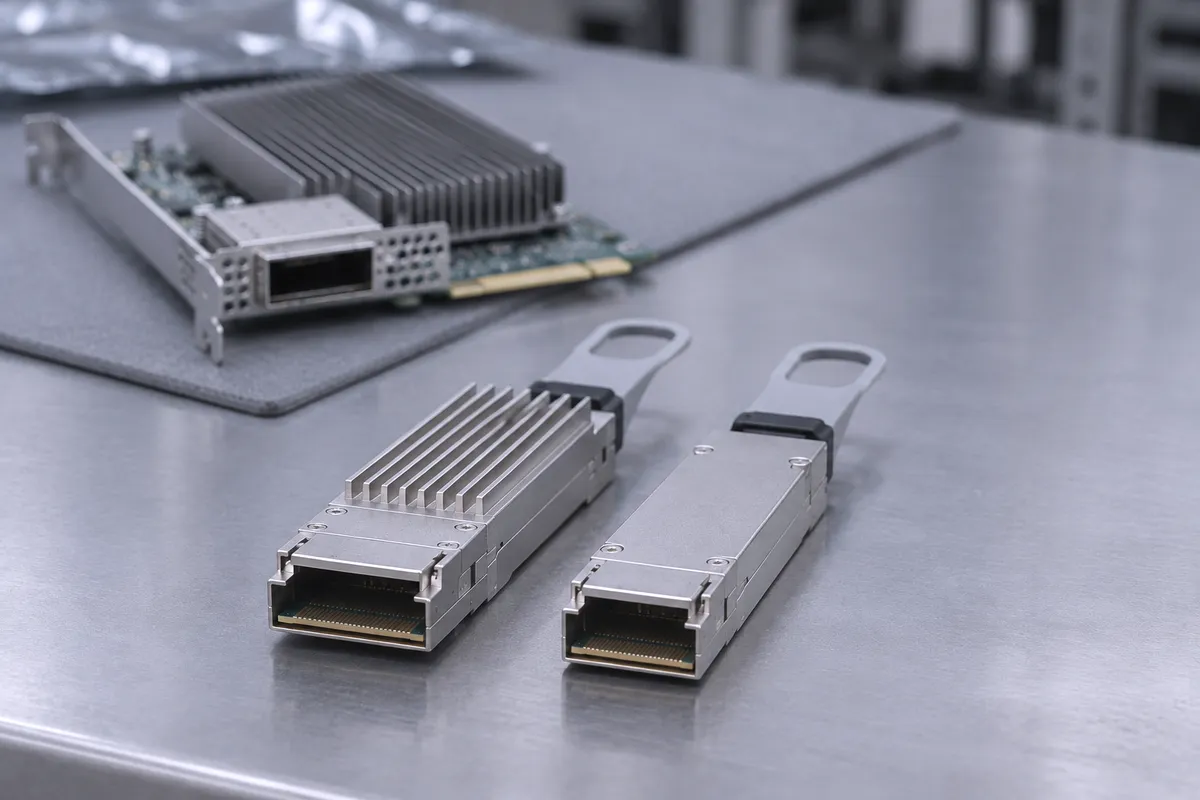
- Finned top: the fins are on the plug. NVIDIA Quantum-2 and Spectrum-4 air-cooled switches require finned-top twin-port OSFP shells for extra cooling.
- Flat top: the plug is smooth and the cooling fins are on the host cage (a riding heat sink, RHS). ConnectX-7 and BlueField-3 use only flat-top shells for single-port OSFP, QSFP112 and QSFP56. ConnectX-7 OSFP cards support the RHS cage only.
- DGX H100: its internal cages have riding heat sinks, so they take twin-port, flat-top 800G OSFP plugs.
- -FLT suffix: on the MCP7Y00, NVIDIA marks the flat-top twin-port OSFP version with -FLT, for liquid-cooled systems. Our MCP4Y10-N001-FLT listing follows the same naming.
A typical NDR cable such as the MCP7Y00 splitter shows both: a finned twin-port end for the Quantum-2 or Spectrum-4 switch and two flat-top 400G OSFP ends for ConnectX-7 adapters.
Common mistakes
- Treating HDR100 as 100GbE. HDR100 and 100GbE built on 2x50G-PAM4 are not compatible with 100GbE built on 4x25G-NRZ. Same 100G, different lanes.
- Ordering QSFP-DD for an InfiniBand fabric. QSFP-DD is Ethernet only.
- Putting a finned-top plug into an adapter. ConnectX-7 and BlueField-3 use flat-top plugs. Finned-top twin-port plugs belong in air-cooled Quantum-2 and Spectrum-4 switches.
- Expecting OSFP to take a QSFP cable. It does not. Plan a splitter or a different port.
- Running passive copper too far. The MCP4Y10 twin-port OSFP DAC comes in 0.5, 1, 1.5 and 2 m. The MCA4J80 active copper cable adds an equalizer IC at each end and covers 3, 4 and 5 m. NVIDIA says to use passive DAC below 3 m.
Sources: NVIDIA LinkX guide for 50G-PAM4 and 25G-NRZ cables (PDF); NVIDIA LinkX 100G-PAM4 product line overview; NVIDIA guide to linking DGX, switches, ConnectX-7 and BlueField-3; MCP7Y00 splitter specifications; MCP4Y10 DAC ordering list; MCA4J80 active copper specifications; QSA28 adapter specifications; Mellanox 56Gb/s QSFP+ DAC brief (PDF); MCP1600-E QSFP28 DAC specifications; MCP2M00-A SFP28 DAC specifications; MCP1660-W QSFP-DD DAC specifications; ConnectX-7 specifications.
Parts we stock
Parts in this post
 NVIDIA Mellanox MC2207130-001 FDR 56Gb/s VPI QSFP+ Passive Copper Cable 1mMC2207130-001View part
 NVIDIA Mellanox MCP1650-H001E30 LinkX HDR 200G QSFP56 Passive DAC Cable 1mMCP1650-H001E30View part
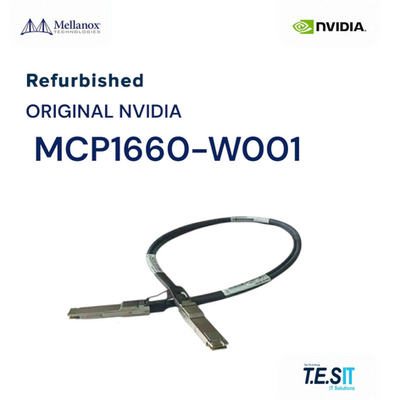 NVIDIA Mellanox 400GbE QSFP-DD DAC Cable 1m - MCP1660-W001MCP1660-W001View part
 NVIDIA Mellanox MCP4Y10-N002 InfiniBand NDR 800Gb/s Twin-Port OSFP DAC Cable 2mMCP4Y10-N002View part
 NVIDIA Mellanox MCP4Y10-N001-FLT 800Gb/s OSFP Flat-Top Passive DAC, Cable 1mMCP4Y10-N001-FLTView part
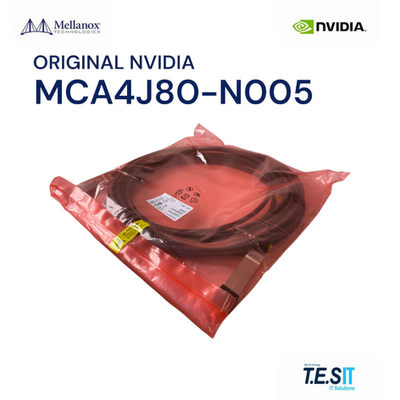 NVIDIA Mellanox MCA4J80-N005 OSFP 800Gb/s NDR Active Copper Cable 5mMCA4J80-N005View part
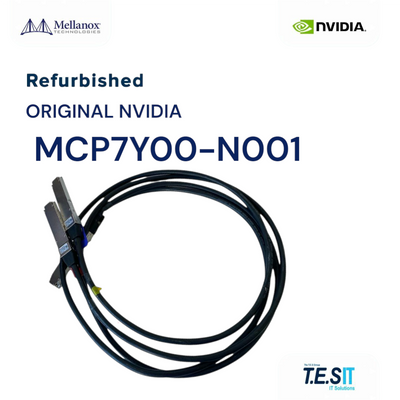 NVIDIA Mellanox MCP7Y00-N001 NDR 800G to 2x400G OSFP Splitter Cable 1mMCP7Y00-N001View part
We rebuild and test every cable before it ships. For cables, the final test covers connector and latch inspection, label, part number and length, jacket condition, and an electrical test where a setup exists for that cable type. See the full range on our interconnect page.
- NVIDIA Mellanox MCP2M00-A005: 25GbE SFP28 passive copper cable, 5 m. Single lane.
- NVIDIA Mellanox MC2207130-001: QSFP+ VPI copper, up to 56Gb/s, 4 lanes up to 14.0625 Gb/s, 1 m.
- NVIDIA Mellanox MCP1600-E00B: QSFP28 EDR DAC, four copper pairs at up to 25Gb/s each, 0.75 m.
- NVIDIA Mellanox MCP1650-H001E30: QSFP56 HDR DAC, 4x 50Gb/s PAM4, 1 m.
- NVIDIA Mellanox MMA1Z00-NS400: 400Gb/s QSFP112 SR4 transceiver, flat-top shell for ConnectX-7 and BlueField-3.
- NVIDIA Mellanox MCP1660-W001: 400GbE QSFP-DD DAC, 1 m. Ethernet only.
- NVIDIA Mellanox MCP4Y10-N002: twin-port OSFP passive DAC, 8 lanes of 100G-PAM4, 2 m.
- NVIDIA Mellanox MCP4Y10-N001-FLT: flat-top version of the twin-port OSFP DAC, 1 m.
- NVIDIA Mellanox MCA4J80-N005: twin-port OSFP active copper cable, 5 m, the maximum length for this family.
- NVIDIA Mellanox MCP7Y00-N001: twin-port OSFP to 2x 400Gb/s OSFP splitter, finned switch end and flat-top adapter ends, 1 m.
FAQ
What is the difference between QSFP28 and QSFP56?
Both have four lanes and fit the same QSFP cage family. QSFP28 runs 4x25G-NRZ for 100Gb/s (EDR or 100GbE). QSFP56 runs 4x50G-PAM4 for 200Gb/s (HDR or 200GbE). A QSFP56 cage accepts QSFP28 EDR cables and transceivers.
Can I plug a QSFP cable into an OSFP port?
No. NVIDIA states that single-port and twin-port OSFP cages are not compatible with QSFP devices. To connect an OSFP switch port to QSFP112 or QSFP56 adapters, use a splitter cable with an OSFP end and QSFP ends.
What does 800G twin-port OSFP mean?
A twin-port OSFP plug holds two 400Gb/s ports in one cage, using 8 lanes of 100G-PAM4. A 32-cage Quantum-2 switch therefore provides 64 ports of 400Gb/s NDR. Cables such as the MCP4Y10 and MCA4J80 use this connector.
Finned-top or flat-top OSFP: which one do I need?
Air-cooled Quantum-2 and Spectrum-4 switches require finned-top twin-port OSFP plugs. ConnectX-7 adapters and DGX H100 cages have riding heat sinks and take flat-top plugs. The -FLT suffix marks a flat-top twin-port version, for example MCP4Y10-N001-FLT.
Does QSFP112 work with older QSFP56 and QSFP28 cables?
Yes. A QSFP112 cage (4x100G-PAM4, 400Gb/s) supports QSFP56 (4x50G-PAM4) and QSFP28 (4x25G-NRZ) devices. The link cannot exceed the rating of the slower part.
Not sure which connector your switch or adapter needs? Send us the part number or the requirement and we will match the cable.