
MQM8700 & QM8790 Compatible Cables: HDR DAC, AOC, Splitter Guide

The NVIDIA Mellanox MQM8700 and MQM8790 take QSFP56 HDR cables: MCP1650-H passive DAC from 0.5m to 2m, MFS1S00-H active optical cable (AOC) from 3m to 100m, and MCP7H50-H or MFS1S50-H splitters when one 200Gb/s port must feed two HDR100 hosts. This guide is for engineers cabling a Quantum HDR InfiniBand fabric who need the right part number the first time. It covers reach, splitting, EDR links and the mistakes we see most often.
The switch: 40 QSFP56 ports at HDR 200Gb/s
The QM8700 and QM8790 are 1U HDR InfiniBand switches built on the NVIDIA Quantum ASIC. Per the NVIDIA QM87xx user manual, both models have:
- Ports: 40 QSFP56, each running 40, 56, 100 or 200Gb/s.
- Throughput: 16Tb/s non-blocking, with sub-130ns port-to-port latency.
- HDR100: up to 80 ports of 100Gb/s when ports are split and paired with ConnectX-6 adapters.
- Transceiver support: Class 7 (5W) QSFP56 modules.
- Airflow options: -HS2F is P2C (power to connector), -HS2R is C2P (connector to power).
MQM8700 vs MQM8790. The ports and cables are identical. The difference is management. The MQM8700 is internally managed: it has an x86 CPU, management ports and MLNX-OS, plus an onboard subnet manager for fabrics of up to 2,048 nodes. The MQM8790 is externally managed: no CPU, no management port, and it is managed with firmware tools. With an MQM8790 you need a subnet manager somewhere else in the fabric. If you are choosing between HDR and NDR, read our MQM8700-HS2F vs MQM9700 comparison.
Which cable for which link
Pick by distance first, then by whether the far end runs HDR or HDR100. Reach below is the length range NVIDIA lists in each family's ordering information.
| Link type | Part family | Reach | Use |
|---|---|---|---|
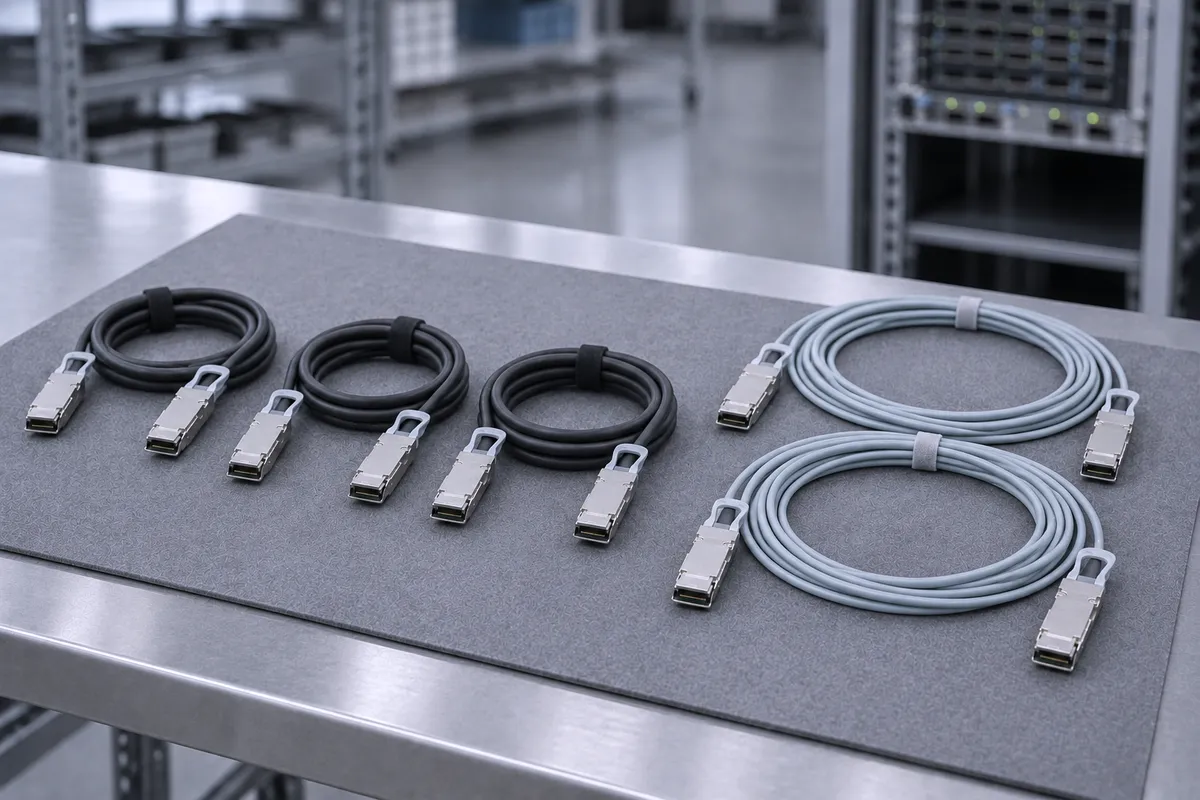
| HDR 200Gb/s passive DAC | MCP1650-H0xxEyy | 0.5m to 2m | Switch to HCA or switch to switch inside one rack |
| HDR 200Gb/s AOC | MFS1S00-HxxxV | 3m to 100m | Rack to rack, row to row, leaf to spine |
| HDR to 2x HDR100 DAC splitter | MCP7H50-H0xxRyy | 1m to 2m | One switch port to two ConnectX-6 HDR100 hosts in the same rack |
| HDR to 2x HDR100 AOC splitter | MFS1S50-H0xxV | 3m to 30m | One switch port to two HDR100 hosts in a neighbouring rack |
| HDR SR4 transceiver + fiber | MMA1T00-HS | 70m on OM3, 100m on OM4 | Structured cabling through patch panels |
| EDR 100Gb/s link | EDR-rated QSFP cable | Per that cable's datasheet | Connecting existing EDR switches or adapters; runs at 100Gb/s |
HDR DAC: MCP1650-H
The MCP1650-H0xxEyy is a passive copper QSFP56-to-QSFP56 cable rated up to 200Gb/s. NVIDIA lists four lengths: MCP1650-H00AE30 (0.5m), MCP1650-H001E30 (1m), MCP1650-H01AE30 (1.5m) and MCP1650-H002E26 (2m). It is copper end to end, with no optics in the path. Use it for every link that fits inside the rack.
HDR AOC: MFS1S00-H
The MFS1S00-HxxxV is a VCSEL-based multimode AOC with four 50Gb/s PAM4 lanes, rated up to 200Gb/s and up to 100m. NVIDIA lists 3, 5, 10, 15, 20, 30, 50 and 100m versions. Each end draws 5.0W typical. The fiber is fixed to both connectors, so there is no patch panel in the path. Use it once a link leaves the rack.
Splitters: MCP7H50-H and MFS1S50-H
Both splitters have one 200Gb/s QSFP56 end and two 100Gb/s QSFP56 ends. Each leg carries two of the four 50Gb/s PAM4 lanes. The copper MCP7H50-H comes in 1m, 1.5m and 2m. The optical MFS1S50-HxxxV comes in 3, 5, 10, 15, 20 and 30m. NVIDIA states the HDR100 split is intended for ConnectX-6 adapters.
Transceivers: MMA1T00-HS
When the building already has multimode trunk fiber, use a transceiver instead of an AOC. The MMA1T00-HS is an 850nm QSFP56 SR4 module for HDR and EDR InfiniBand, with an MPO-12 connector. It reaches 70m on OM3 and 100m on OM4, at 4.35W typical.
Port splitting: configure before you cable
The switch does not detect a splitter and change mode by itself. NVIDIA's cluster bring-up guide says split cables need explicit switch configuration. On the MQM8700 (MLNX-OS) the order is:
- Set the system profile to split-ready.
- Shut down the port you want to split.
- Apply the split type qsfp-split-2 to that port.
All 40 QSFP56 ports can be split. Port 5 becomes ports 1/5/1 and 1/5/2. Splitting deletes all configuration on that interface, so do it before production traffic. On the MQM8790 there is no MLNX-OS CLI, so plan the split within your firmware tools and fabric management workflow.
Common mistakes and what it does NOT work with
- QSFP+ 40Gb/s cables do not carry HDR. The ports accept 40Gb/s, but a QDR-rated cable caps the link at that rate. For 200Gb/s you need a QSFP56 HDR part.
- EDR cables run at EDR. An EDR link runs four lanes at 25Gb/s for 100Gb/s. It will not reach 200Gb/s.
- This is not an Ethernet switch. The MQM8700 and MQM8790 are InfiniBand switches. NVIDIA lists the MCP1650-V family as a 200GbE DAC; for an HDR fabric, order the H-coded parts.
- Splitters need split ports. A splitter on an unsplit port does not give two HDR100 links. Configure the port first.
- Do not force cables. NVIDIA limits insertion force to 40 newtons (4kg). More can damage the cable or the cage.
- Passive DAC stops at 2m in the HDR list. For longer runs, move to an AOC or a transceiver.
Sources: NVIDIA QM87xx user manual: introduction; interfaces; ordering information; cable installation; NVIDIA cluster bring-up: configuring a split port; MCP1650-H DAC ordering list; MFS1S00-H AOC specifications; MFS1S00-H ordering list; MCP7H50-H splitter ordering list; MFS1S50-H splitter ordering list; MMA1T00-HS transceiver specifications; NVIDIA interconnect product list.
Parts we stock
Parts in this post
 NVIDIA Mellanox MQM8700-HS2F Quantum HDR 200Gb/s Switch 40-Port QSFP56 P2CMQM8700-HS2FView part
 NVIDIA Mellanox MCP1650-H001E30 Cable QSFP56 200Gb/s HDR Copper 1m 30AWGMCP1650-H001E30View part
 NVIDIA Mellanox MCP1650-H002 QSFP56 HDR 200Gb/s Passive Copper DAC Cable 2mMCP1650-H002View part
 Mellanox MFS1S00-H010V QSFP56 200Gb/s HDR InfiniBand AOC 10m - MFS1S00-H010VMFS1S00-H010VView part
 NVIDIA Mellanox MFS1S00-H050V 200Gb HDR QSFP56 Active Optical Cable (AOC) 50mMFS1S00-H050VView part
 NVIDIA Mellanox 200GbE QSFP56 Splitter Cable 1m - MCP7H50-H001MCP7H50-H001View part
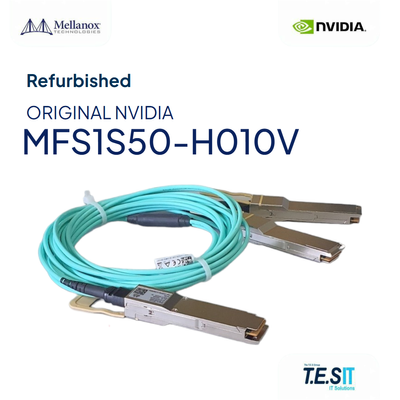 NVIDIA Mellanox MFS1S50-H010V LinkX HDR 200G to 2x100G QSFP56 AOC Splitter 10mMFS1S50-H010VView part
Every unit is rebuilt and tested before it ships. Handling is 1-3 business days, with worldwide B2B shipping. See how we build, or browse all switches and interconnect.
- MQM8700-HS2F: managed 40-port HDR switch, P2C airflow.
- MQM8790-HS2F: unmanaged 40-port HDR switch, P2C airflow.
- MCP1650-H001E30: 1m HDR passive DAC, QSFP56.
- MCP1650-H002: 2m HDR passive DAC, the longest length in NVIDIA's HDR DAC list.
- MFS1S00-H010V: 10m HDR AOC for rack-to-rack links.
- MFS1S00-H050V: 50m HDR AOC for row-to-row links.
- MCP7H50-H001: 1m copper splitter, HDR to 2x HDR100.
- MFS1S50-H010V: 10m optical splitter, HDR to 2x HDR100.
FAQ
How many ports does the MQM8700 have?
The MQM8700 has 40 QSFP56 ports at HDR 200Gb/s, with 16Tb/s of non-blocking throughput. With HDR-to-2x HDR100 splitters and ConnectX-6 adapters, it supports up to 80 ports of 100Gb/s.
What is the difference between the MQM8700 and the MQM8790?
Both have 40 QSFP56 HDR ports and 16Tb/s throughput, and both take the same cables. The MQM8700 has an x86 CPU, MLNX-OS and an onboard subnet manager for up to 2,048 nodes. The MQM8790 has no CPU or management port and is managed with firmware tools.
What is the longest passive DAC for an HDR switch?
NVIDIA's MCP1650-H HDR DAC ordering list runs from 0.5m to 2m, with MCP1650-H002E26 as the 2m part. For longer links use an MFS1S00-H AOC (3m to 100m) or an MMA1T00-HS transceiver (100m on OM4).
Can I split an MQM8700 port into two HDR100 ports?
Yes. Use an MCP7H50-H copper splitter (1m to 2m) or an MFS1S50-H optical splitter (3m to 30m). Set the system profile to split-ready, shut the port and apply qsfp-split-2. Splitting deletes the port's configuration.
Do EDR cables work in an MQM8700?
Yes. The QSFP56 ports support 40, 56, 100 and 200Gb/s, and the InfiniBand protocol sets the speed automatically. An EDR link runs at 100Gb/s (four lanes at 25Gb/s), not at HDR 200Gb/s.
Not sure which length or splitter fits your rack layout? Send us the part number or the requirement and we will match the cable to the port.