
Compatible Cables for the NVIDIA Mellanox SN2100 Switch: DAC, Breakout, and AOC Guide
· 6 min read · Itzhak Finkelstein, T.E.S IT-SOLUTIONS

The SN2100 has 16 QSFP28 ports. Use an MCP1600-C passive DAC up to 5 m and an MFA1A00-C AOC from 3 m to 100 m. Use an MCP7F00-A cable to split a port into four 25GbE links, or an MCP7H00-G cable for two 50GbE links. NVIDIA says every port can split with no blocking requirements. NVIDIA's supported list is in its LinkX guides, so confirm your cable there for your software version.
SN2100 ports and split rules
The NVIDIA SN2000 hardware manual says all QSFP28 ports are splittable. Each port can split into 4xSFP28 at 10G or 25G, or into 2xQSFP28 at 50G. No neighbouring port is blocked. NVIDIA's Cumulus Linux guide gives the same counts:
| Speed | Maximum ports | How |
|---|---|---|
| 100GbE | 16 | Native QSFP28 |
| 50GbE | 32 | Each port split 2x |
| 40GbE | 16 | Port speed set to 40G |
| 25GbE | 64 | Each port split 4x |
| 10GbE | 64 | Each port split 4x |
This is a difference from the SN2700. On that switch only the top ports split into four, and the port below is blocked.
Check your model first. NVIDIA's manual describes the MSN2100-BB2 models, such as the MSN2100-BB2F, as 40GbE switches with 16 QSFP28 ports. The MSN2100-CB2 models, such as the MSN2100-CB2F, are the 100GbE versions. The port counts above are for 100GbE ports. The models ship with Onyx, Cumulus Linux or ONIE, depending on the part number.
Which cable for which link
| Link | Cable | Lengths | Power |
|---|---|---|---|
| 100GbE, same or next rack | MCP1600-C passive DAC | 0.5 m to 5 m | 0.1 W maximum |
| 100GbE to 4x25GbE | MCP7F00-A breakout DAC | 1 m to 5 m | 0.1 W maximum |
| 100GbE to 2x50GbE | MCP7H00-G breakout DAC | 1 m to 5 m | 0.1 W maximum |
| 100GbE to 4x25GbE, longer run | MFA7A50-C breakout AOC | 3 m to 30 m | See the data sheet |
| 100GbE, row or room | MFA1A00-C AOC | 3 m to 100 m | 2.2 W typical each end with retiming |
| 100GbE through patch panels | MMA1B00-C100D SR4 and MPO fiber | 70 m OM3, 100 m OM4 | 2.2 W typical with retiming |
| 100GbE over 100 m | MMA1L10-CR LR4 and duplex LC | Up to 10 km | 3.5 W maximum |
| 10GbE to one SFP+ port | MC2309130 hybrid | 0.5 m to 3 m | See the data sheet |
Lengths and part families come from NVIDIA's ConnectX-7 firmware notes and product specifications. Those notes are a cable list for the adapter, so treat them as part facts. Use the LinkX guides for the switch.
Passive DAC: MCP1600-C
For a 100GbE link inside a rack or to the next rack, use an MCP1600-C. The MCP1600-C brief lists four copper pairs at up to 25GbE each, and 0.1 W maximum power. We stock lengths such as MCP1600-C00A at 0.5 m, MCP1600-C002 at 2 m, MCP1600-C003 at 3 m and MCP1600-C005 at 5 m.
Length sets the FEC class. NVIDIA specifies cables up to 2 m as IEEE 802.3bj CA-25G-N, with no FEC. Cables from 3 m to 5 m are CA-25G-L, with RS-FEC enabled. The 2.5 m and 3 m lengths exist in both versions, so check the part number suffix. NVIDIA's Cumulus guide says that between two Spectrum switches the firmware chooses RS-FEC for 100G cables, and that a non-Spectrum peer decides. Both ends must use the same FEC setting for the link to come up.
Breakout cables and how to configure the port
4x25GbE: MCP7F00-A and MFA7A50-C
The MCP7F00-A splits one QSFP28 port into four SFP28 ends, up to 5 m. For a longer run to the servers, the MFA7A50-C003 does the same with active fiber, and NVIDIA lists that family up to 30 m. These are also the route to a 25GbE SFP28 adapter.
2x50GbE: MCP7H00-G
The MCP7H00-G splits one port into two QSFP28 ends at 50GbE. The MCP7H00 specification lists versions up to 5 m. Cables up to 2 m are CA-25G-N and 5 m cables are CA-25G-L, with 2.5 m and 3 m in both. We stock the MCP7H00-G002, MCP7H00-G02A and MCP7H00-G005.
10GbE downlinks
NVIDIA lists the MC2309130-001 and MC2309130-002 as QSFP to SFP+ hybrids at 10GbE. They carry one 10GbE link, so they suit a single SFP+ port. For four SFP+ ports, NVIDIA's QSFP to 4xSFP+ part is the MC2609130-003, rated 40GbE to 4x10GbE. The manual allows 4x10G on every port but does not name a cable, so confirm it for your software.
Configure the port
- Onyx. The manual says to set the port to split-2 or split-4 in the CLI.
- Cumulus Linux. Edit /etc/cumulus/ports.conf, for example 1=4x, then reload switchd. Other switches need the next port disabled. The guide says the SN2100 does not.
AOC and transceivers for longer runs
Past 5 m there is no MCP1600-C copper option. An MFA1A00-C plugs in with no separate transceivers, and NVIDIA lists 3 m to 100 m, including the MFA1A00-C010, MFA1A00-C030 and MFA1A00-C100. The MFA1A00 specification lists 1.5 W typical per end without retiming and 2.2 W with retiming on all lanes, and a 30 mm minimum bend radius.
If the fiber passes through patch panels or the length may change, use transceivers. See our 100G transceiver guide. The MMA1B00-C100D SR4 reaches 100 m on OM4, and the MMA1L10-CR LR4 reaches 10 km. For more on cable types, see QSFP28 DAC vs AOC vs breakout.
What it does NOT work with
- 100GbE on a BB2 model. NVIDIA describes the MSN2100-BB2 models as 40GbE. A 100G cable will not make them 100GbE switches.
- QSFP56 HDR cables as a 200G link. NVIDIA specifies the MFS1S00 AOC for HDR at 4x 50Gb/s PAM4. The SN2100 tops out at 100G and its interfaces support NRZ only. Do not plan these into the switch.
- 100GbE over a QSFP+ cable. An MC2210130-002 is a 40GbE cable. It does not carry 100GbE.
- InfiniBand parts. NVIDIA lists MCP1600-E and MFA1A00-E cables for InfiniBand EDR, and the SN2100 is an Ethernet switch. Buy the C letter.
- A splitter on a port not set to split. Configure the port first.
- A blanket promise on other makers' cables. The manual points to the LinkX guides for supported cables. For other brands, see our vendor coding guide and confirm it yourself.
Parts we stock
 NVIDIA Mellanox MSN2100-BB2F Spectrum 40GbE 1U 16x QSFP28 Switch
 NVIDIA Mellanox MSN2100-CB2F SN2100 16x 100GbE QSFP28 Half-Width Switch P2C
 NVIDIA Mellanox MCP1600-C00A Passive Copper Cable 100GbE QSFP28 0.5m 30AWG
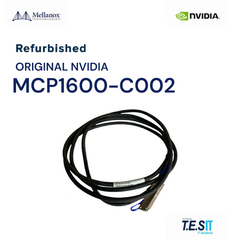 NVIDIA Mellanox MCP1600-C002 QSFP28 100GbE Passive Copper DAC Cable 2m
 NVIDIA Mellanox MCP1600-C003 100GbE QSFP28 Passive Copper Cable 3m
 NVIDIA Mellanox MCP1600-C005 Passive Copper DAC 100GbE QSFP28 Cable 5m
The cables above are in stock in the lengths linked, and the full range is on the interconnect page. NVIDIA's firmware notes list these MCP1600-C, MCP7F00-A and MFA1A00-C parts as End of Life, and its manual lists the MSN2100 models the same way, so spares for an installed SN2100 come from recovered stock.
T.E.S IT-SOLUTIONS is an independent manufacturer based in Haifa, Israel. Orders ship worldwide from Haifa, with 1-3 business days handling. For cables, we inspect connectors and latches, check the label, part number and length, inspect the jacket, and run an electrical test where a test setup for the cable type is available. See how we build. For a volume order or a length not listed, ask at contact.
FAQ
Can I use a QSFP+ 40GbE DAC in the SN2100?
It runs at 40GbE, with the port speed set to 40G. NVIDIA's guide lists up to 16 ports at that speed. It will not run at 100GbE. For 100GbE, use a QSFP28 cable such as the MCP1600-C. Confirm the exact cable in the LinkX guides for your software version.
What is the longest passive copper cable for the SN2100?
NVIDIA lists MCP1600-C passive DACs up to 5 m. Cables from 3 m to 5 m are CA-25G-L and need RS-FEC enabled. Past 5 m, use an MFA1A00-C AOC, which NVIDIA lists from 3 m to 100 m, or transceivers with fiber. Allow for the bend radius of a thicker copper cable when you route it.
Does splitting a port block the port below it on the SN2100?
No. NVIDIA's manual says all QSFP28 ports split into 4xSFP28 or 2xQSFP28 with no blocking requirements, and the Cumulus Linux guide says the SN2100 does not need the next port disabled. That gives up to 64 ports at 25GbE or 32 at 50GbE. The SN2700 differs, because the port below a 4x split is blocked.
How do I connect a 25GbE SFP28 adapter to the SN2100?
Use an MCP7F00-A breakout, which gives four SFP28 ends from one QSFP28 port. Set the port to split 4x and the speed to 25G. NVIDIA also lists a MAM1Q00A-QSA28 adapter that takes one SFP28 cable in a QSFP28 port. We do not list that adapter, so ask us if you need one.
Which SN2100 do I have, 40GbE or 100GbE?
Read the part number on the switch label. NVIDIA's manual describes MSN2100-CB2 models as 100GbE and MSN2100-BB2 models as 40GbE, both with 16 QSFP28 ports. Letters after that give airflow and operating system. Send us the full part number if you want us to check it against the cable you plan to order.